
NOAA Marine Weather
DOSA AppsWeather
3.6132.00 Reviews
- Version
- 11.1.0.1.1
- Installs
- 100.00K
- Age Rating
- Everyone
Screenshots
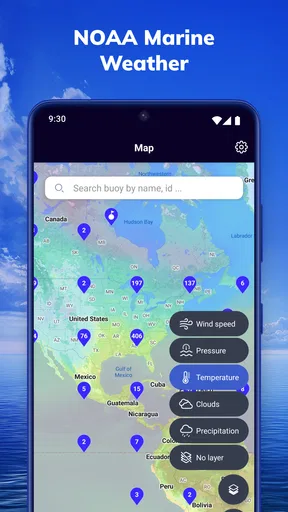
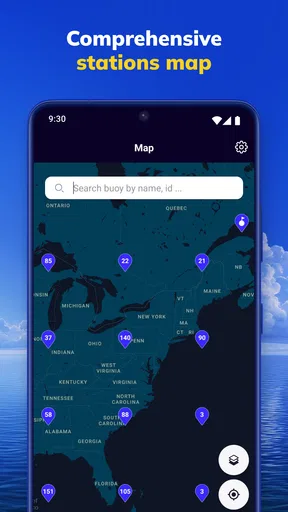
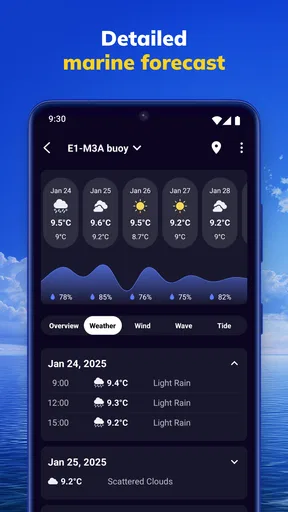
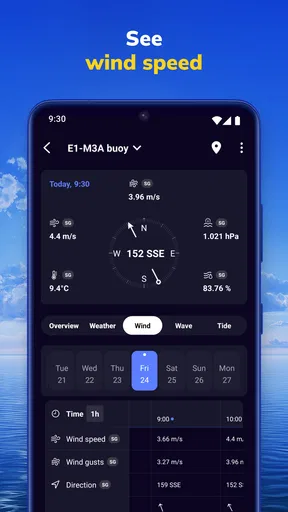
Our Review of NOAA Marine Weather
 Analysis by Appyee
When I’m planning time on the water, a general forecast can leave too many practical questions unanswered. I want marine conditions to be part of the decision, not an afterthought. NOAA Marine Weather is aimed at that need, with an emphasis on weather information for boating and other marine activities. My view is that it makes the most sense as a focused planning companion, rather than an app that every casual weather-checker needs to keep open all day.
What the free access means
The app is free to download, which makes it easy to try before deciding whether it belongs in your regular routine. It also offers in-app purchases, with listed item prices ranging from $0.99 to $99.99. I would treat those as optional purchases rather than assume that every useful part requires payment; the free price alone does not tell me which purchase, if any, would suit a particular user.
That distinction matters if you are comparing it with a weather app you already use. You can start without paying for the download, then decide whether the version you have meets your needs. Before buying anything, I’d check the purchase details in the app and consider whether the specific extra addresses a real gap in your planning. A high possible item price is not, by itself, evidence that you need to spend that amount.
Where marine focus can make a difference
For me, the appeal of a marine weather app is not simply seeing a forecast on a phone. It is having weather information framed around the questions that come up before heading out: Is the planned outing sensible? Could changing conditions affect the return? Should I postpone, shorten the trip, or choose a different time? A general weather app can be useful for the broad picture, but a marine-oriented tool is a more natural place to start when those are the decisions in front of you.
The useful habit is to check conditions before leaving and again when making a meaningful change to the plan, rather than glancing once and treating that forecast as a guarantee. For example, if I were deciding whether to take a small boat out after work, I would use the app as one input, compare the conditions with my route and experience, and keep a fallback plan. The app can inform that choice; it cannot make the water safe or replace sound judgement.
Who is likely to get value from it
I can see this being most useful for boaters, anglers, and sailors who already make weather part of their preparation and want a marine-specific option on hand. It may also suit someone who is learning to plan outings and wants to build the habit of checking conditions rather than relying only on a quick glance at a general forecast.
On the other hand, if you only want to know whether to bring an umbrella on a short walk, a standard weather app is probably simpler. Likewise, someone who expects a marine app to replace navigation training, local knowledge, or an official safety briefing is asking too much of any phone app. For a longer or more demanding trip, I would not make a departure decision from one screen alone.
First Impressions and Features
When I first downloaded the NOAA Weather app from DOSA Apps, I was curious to see how it stood up against other weather apps I’ve used. Right off the bat, the interface is pretty user-friendly. It’s not overly flashy, which I appreciate because I’m really just looking for data and accuracy, not entertainment. The app offers a range of features that are specifically tailored for marine activities.
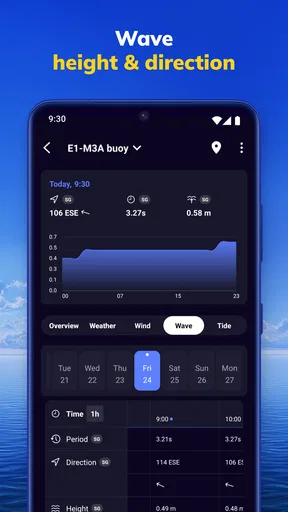
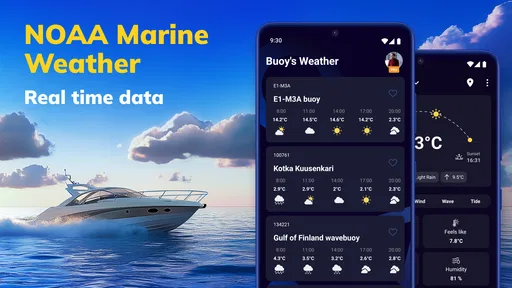
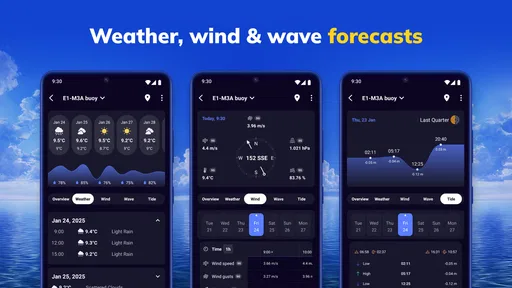
One of the standout features is the real-time weather updates. It pulls data directly from the NOAA servers, which means you’re getting some of the most reliable information available. Whether it’s wind speed, wave height, or tide levels, this app covers all the bases. It’s like having a weather station right in your pocket.
Customizable Alerts
Another aspect that I found really useful is the customizable alerts. You can set up notifications for specific weather conditions that might affect your journey. This means you can get a heads-up if there’s a storm brewing or if the wind speeds are about to pick up. It’s a feature that gives you peace of mind, knowing you won’t be caught off guard.
Navigation Made Easy
The app also includes detailed marine forecasts and nautical charts. Whether you’re a seasoned sailor or just someone who loves a good day of fishing, these charts are invaluable. They help you navigate safely and efficiently, avoiding any potential hazards along the way. Plus, the app’s GPS integration makes it easy to track your location relative to important marine data points.
Weather Radar and Satellite Views
I have to admit, I’m a bit of a weather geek, so I love the radar and satellite views. They offer a comprehensive look at weather patterns, which can be crucial for planning longer trips. You can see storms forming and track their movements, giving you the information you need to make informed decisions.
Real-World Application
On a recent fishing trip, I put the app to the test. The forecast was predicting calm seas, but I wanted to be sure. Using the app, I was able to confirm the conditions and even pinpoint the best times for fishing based on tide information. It was incredibly helpful, and I felt much more prepared heading out.
During the trip, I received a notification about a change in wind speed. The alert allowed me to adjust my course and avoid any rough patches. Without the app, I might have had a much different experience. It’s those little bits of information that can really make a difference out on the water.
Room for Improvement?
No app is perfect, and while NOAA Marine Weather hits a lot of high notes, there’s always room for improvement. Occasionally, the app can be a tad slow to load, especially in areas with spotty reception. It’s not a deal-breaker, but something to keep in mind if you’re relying on it in real-time.
Also, while the interface is easy to navigate, it could benefit from a bit of a facelift. A more modern design might make it even more appealing to newer users.
A sensible way to use it
One practical approach is to use the app before the outing for planning, then avoid assuming that a previous check will remain current. Weather can change, and a phone can struggle to load information when reception is weak. If I were heading somewhere with unreliable service, I would check conditions while connected and make sure I had a backup way to consult essential information. I would also tell someone on shore where I planned to go and when I expected to return.
That is a trade-off worth keeping in mind: marine-specific information can help make a decision more informed, but the app still depends on a working device and accessible data. A slow load in poor reception is more than a small annoyance if you have left preparation until the last minute. I’d use it as one part of a broader routine, not as my only source of guidance in a situation where conditions matter.
How it compares with everyday weather apps
Compared with a typical weather app, this one’s marine orientation is its reason to exist. A general forecast is convenient for checking the day at a glance, but it may not bring the marine details a boater is actively looking for to the foreground. Conversely, someone who rarely goes on the water may find a general app more convenient for everyday forecasts and see little reason to add a dedicated marine option.
I would not choose between them as if one must replace the other. If I regularly planned boating trips, I’d keep marine information central to those decisions and use a general forecast for ordinary daily planning. If my use was occasional, I’d first see whether the marine app’s available information actually changes how I prepare. The best choice depends less on the number of screens and more on whether the information matches the outing.
Who should skip it, and what to expect
The app has a 4.1 average from around 1.3 thousand ratings, and it has passed 100 thousand installs. Those figures suggest that it has found an audience, but they do not guarantee that its interface or approach will suit everyone. It is free, rated for Everyone, and its current version is 11.1.0; it first appeared on June 20, 2017, and requires Android 7.0 or later. I’d consider those practical details when checking whether it fits my device and expectations.
I would skip it if I wanted a polished, all-purpose weather dashboard and had no marine use for its focus. I would also avoid treating alerts as a promise that every change will arrive in time to act on it. Alerts can be helpful prompts, but I’d still check conditions deliberately and make conservative choices, especially if I’m inexperienced or heading out in a small craft.
Final Thoughts
All in all, the NOAA Marine Weather app is a fantastic tool for anyone who spends time on the water. It’s comprehensive, reliable, and packed with features that are directly relevant to mariners. Whether you’re planning a casual day out or a longer voyage, this app has you covered.
So, if you’re looking for an app that offers accurate marine weather forecasts with a host of useful features, I’d definitely recommend giving this one a try. It’s like having a personal weather assistant right in your pocket, ready to help you navigate whatever the seas might throw your way.
My buy-or-skip verdict
I’d try it if marine forecasts are part of my regular boating or fishing routine, especially because there is no upfront download charge. I’d hold off on any optional purchase until I knew exactly what it added and whether I would use that addition. If I only needed an everyday forecast, or expected a phone app to make safety decisions for me, I’d choose a simpler tool or rely on a more complete planning process instead.
For the right person, the value is in having marine-oriented weather information close at hand and making it part of a careful routine. For everyone else, its specialized focus may be more than they need. That makes this an easy app to consider, but one I’d judge by how often I actually spend time on the water—not by the promise of a feature list alone.
Verdict
Strengths of NOAA Marine Weather
- Accurate real-time weather data
- User-friendly interface
- Customizable alerts
- Detailed marine forecasts
- Offline access to saved data
Limitations of NOAA Marine Weather
- Limited free features
- Ads can be intrusive
- Requires internet for updates
- Occasional slow loading times
- Subscription needed for full access
Other Releases by DOSA Apps
View All
Cube Cipher - Cube Solver
Educational4.5

Recover Deleted Photos App
Photography4.4

Cleanup Your Phone
Personalization4.5

Microphone Amplifier
Medical4.2
Similar Picks in This Category
View All
Weather - By Xiaomi
Xiaomi Inc.4.1

Weather & Radar Forecast
WetterOnline4.8

Weather
OneLouder Apps4.6

AccuWeather: Weather Radar
AccuWeather3.6

The Weather Channel - Radar
The Weather Channel4.6

1Weather Forecasts & Radar
OneLouder Apps4.3
Frequently Asked Questions
What features does the NOAA Marine Weather app offer?
The NOAA Marine Weather app provides comprehensive weather forecasts specifically designed for maritime conditions. It includes real-time updates on wind speeds, wave heights, and tide information. Users can also access radar images and satellite data to plan their marine activities safely. Additionally, the app offers customizable alerts to keep users informed of sudden weather changes.
Is NOAA Marine Weather app suitable for both professional and recreational use?
Yes, the app is designed to cater to both professional mariners and recreational users. It provides detailed and accurate data that is crucial for navigation and safety at sea. Whether you're a commercial fisherman or a weekend sailor, the app offers insights that help in making informed decisions based on real-time weather conditions.
Does NOAA Marine Weather require an internet connection to function?
While an internet connection is necessary to receive real-time updates and download the latest data, the app can store previously downloaded information for offline use. This feature is particularly useful when users are at sea and have limited connectivity. However, for the most accurate and up-to-date information, an internet connection is recommended.
How user-friendly is the NOAA Marine Weather app interface?
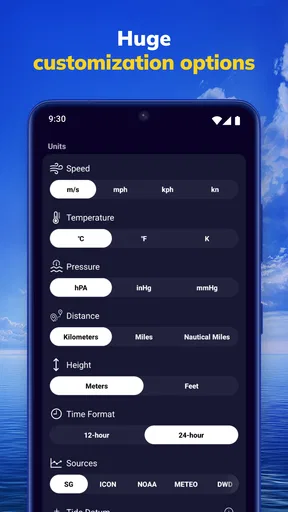
The app features an intuitive and user-friendly interface designed to make navigation easy, even for beginners. It offers a clean layout with customizable settings, allowing users to focus on the information that matters most to them. The app also includes a tutorial for new users to help them get accustomed to its features quickly.
Are there any subscription fees or in-app purchases in NOAA Marine Weather?
The NOAA Marine Weather app offers a free version with basic features. However, to access premium features like ad-free usage, advanced forecasting tools, and additional data layers, users may need to opt for a subscription. These paid options enhance the user experience and provide more detailed insights for serious maritime enthusiasts.
